How to cancel Sky TV: notice, charges and what to do first
A plain guide to cancelling Sky TV in the UK: checking your contract, the 31-day notice, how early termination charges work, and what happens to your Sky Q box, Sky Glass or Sky Stream puck.


Lower your bill
Check BingeBear on your own telly before paying.
Start a free 24-hour trial with no card. Check your channels, supported player and device, then read the current plans and activation terms.
*Updated September 2026.*
To cancel Sky TV in the UK you give Sky 31 days' notice, by web chat, phone, Sky's online form, or in writing. If you are out of contract there is nothing more to pay beyond the final month. If you are still in your minimum term, Sky will charge early termination charges for the time left, so check your contract end date in My Sky before you contact them.
The rules below come from Sky's own help pages and Ofcom's guidance as they stood in September 2026.
Step 1: check whether you are still in contract
Everything else depends on this. Sign in to My Sky on the Sky website or the My Sky app and look at Your products (Sky's help pages also call it "Your package"). Each subscription shows its own minimum term end date.
A few things worth knowing:
- Sky says most of its products have a minimum term of 12 or 24 months.
- Each product can have a different end date. Sky TV, Sky Cinema, Sky Sports and broadband often started on different days.
- Taking a new offer can start a new minimum term. If you renegotiated a deal last year, your end date may have moved.
- Your full contract and past messages are in My Messages, which you reach from the same account.
Write down each product and its end date.

Step 2: understand the 31-day notice
Sky's rule for TV is simple to state: you must give at least 31 days' notice, and that notice period can't end before your minimum term finishes.
So if your contract ends on 30 November, the earliest sensible day to give notice is around the end of October. Give notice too late and you pay for extra weeks. Give it too early and the notice runs out inside your contract, which is when early termination charges come in.
Two more points from Sky's help pages:
- Don't cancel your Direct Debit. Sky says further payments may still be due, and stopping it early can cause missed-payment problems.
- Sky bills a month in advance. You may be billed for a full month after cancelling. Any credit goes back to your bank account after 45 days.
The cooling-off exception
If you only recently joined, you may still be in Sky's cooling-off period. For UK customers Sky offers 31 days (rather than the standard 14), counted from the later of delivery, installation or receiving the terms. Cancel inside that window and you pay only for the days you used plus any delivery costs. On Sky Glass, Sky adds a £25 returns fee if you send the TV back during cooling-off.
Step 3: work out any early termination charges
If you are inside your minimum term, Sky's page says the charge depends on:
- how long is left of your minimum term, counted in days;
- the days you have already been billed for in advance; and
- the products you have and the price you pay for them.
The method is: take each product's monthly price, deduct the business costs Sky saves by no longer serving you, deduct a small discount for being paid in one lump sum, then deduct any monthly discount you receive. That gives a monthly rate, which is multiplied by the time left.
Sky's own broadband example shows how it adds up: a £38 a month broadband and line rental plan with three months left comes to £68.00 in total. The honest summary is that the charge is close to what you would have paid by staying, so there is rarely a saving in leaving a few weeks early.
For TV, Sky charges these upfront on the day you give notice, rather than on your next bill. Sky also notes that Sky Q Multiscreen has no early termination charge.
When you can leave mid-contract without charges
There is one big exception. If Sky raises your price or changes your terms in a way that wasn't set out when you signed up, Ofcom's rules give you 30 days from the notification to leave without exit fees. In the 2026 round, that applied to Sky Broadband, Sky Talk and Sky Q customers, but not to Sky Glass or Sky Stream customers still in contract. We explain the details in our guide to Sky price rises and leaving your contract.
Step 4: choose how to contact Sky
There is no single "cancel" button in My Sky for TV. On Sky's cancel page, if you choose "No, I still need help" and pick your TV product, it shows these options:
- Chat with us. Web chat with a Sky adviser, listed as open Monday to Sunday, 9am to 7.30pm. You need to sign in.
- Call us. Sky shows the number there. Sky says calls are inclusive for Sky Talk and Sky Mobile customers, and that its 03 numbers cost the same as 01 and 02 numbers from other providers.
- Mail us. An online form, after signing in.
- Write to us. A letter, or an email to mysky@sky.uk with your name, address, postcode and phone number. Replies can take up to five days.
Sky says it can't cancel until it has confirmed you are the account holder, so it may call you back. The useful part is that your notice period starts from the date Sky receives your letter or email. If you want a clear record, email is the best route: you have the date in writing.
Step 5: handle the retention offer
Whichever route you take, expect Sky to try to keep you. That is normal, and it can work in your favour if you would stay at a lower price.
- Decide before you call. Know if you want to leave outright or would stay for the right price, and have a figure in mind.
- Say it plainly. "I'd like to give 31 days' notice to cancel Sky TV. Please confirm the end date and any charges."
- Ask whether an offer restarts your contract. Sky's small print says a minimum term can apply when you take up certain offers. A cheaper price for 24 months is fine if you know that is what you are agreeing to.
- Get it in writing. Ask for the offer, the new price and the new end date to be confirmed by email or in My Messages before you accept.
- If you are cancelling, ask for the confirmation. You want the cancellation date and any charges confirmed in writing.
Sky Q, Sky Glass and Sky Stream: what happens to the kit
Sky Q and Sky+
Sky Q boxes are loaned, not sold. Sky asks for all loaned equipment back within 60 days of your service ending, using the returns method it sends you (usually prepaid postage). That can include the main box, Mini boxes, remotes, cables and boosters if you are not keeping Sky Broadband.
If kit isn't returned, Sky lists non-return charges of up to £117 for a Sky Q 1TB box, up to £135 for a 2TB box and up to £52 for a Sky Q Mini. Paying the charge does not mean you own the box. Keep your proof of postage or tracking number.
Sky Stream
On Sky Stream you are either on a 31-day rolling subscription (no cancellation charges, 31 days' notice) or a 24-month minimum term (charges may apply if you leave early). The puck stops working once your TV subscription ends. Sky asks for pucks ordered after 23 February 2023 to be returned.
Sky Glass
Sky Glass is different because the television is yours. It was bought outright or on a credit agreement, not loaned. Cancelling the Sky TV subscription does not cancel the credit agreement: Sky says your monthly repayments continue, or you can pay the balance off in one go.
Sky's help page says Glass then works like a normal TV. Once activated, you can use apps such as BBC iPlayer, ITVX and Netflix, and plug in a games console, DVD player or streaming stick through the HDMI ports. You lose the Sky channels, your Playlist, voice control and pause and rewind on live TV. If you have extra Glass TVs or Stream pucks on a Whole Home pack, cancelling the last one ends the pack too.
Cancelling TV only, or broadband as well
TV and broadband are separate contracts with separate rules.
Cancel Sky TV but keep broadband. Give 31 days' notice on TV only. Broadband carries on as normal. Before you confirm, ask Sky what your broadband will cost on its own, since some prices were bundle deals.
Leave Sky Broadband as well. You have two routes:
- Switching to a new provider. Under Ofcom's One Touch Switch process, in place since September 2024, you only contact the new provider. They arrange the switch, Sky must tell you about any charges before it happens, you pay no notice-period charges after the switch date, and loss of service should not last more than one working day. Sky says your broadband and Talk cancel automatically when the new service goes live.
- Not switching (for example, moving in with family). Sky asks for 14 days' notice to cancel broadband, plus early termination charges if you are still in contract.
The catch to watch for: One Touch Switch does not cancel Sky TV. Ofcom's guidance says that if your bundle includes TV, you may need to contact your current provider to cancel it, and Sky's page confirms your TV stays active. Give TV notice separately.
Quick reference table
| Your situation | Notice | Charges | What to do |
|---|---|---|---|
| Sky TV, out of contract | 31 days | None beyond the final bill | Contact Sky, return kit within 60 days |
| Sky TV, still in minimum term | 31 days, can't end before the term does | Early termination charges, paid upfront | Check your end date and time your notice |
| New customer, within 31-day cooling-off | Tell Sky within 31 days | Days used plus delivery (plus £25 if returning Glass) | Contact Sky straight away |
| Sky Stream, 31-day rolling | 31 days | None | Cancel and return the puck |
| Sky Glass, in contract | 31 days | Early termination charges; TV credit carries on | Decide whether to pay off the TV |
| Price rise or terms change you didn't agree to at sign-up | Act within 30 days of the notice | Usually none, if the right applies to your product | Contact Sky and quote the notice |
| Broadband, switching provider | Handled by your new provider | Charges if in contract; no notice charges after the switch | Order from the new provider, cancel TV separately |
| Broadband, not switching | 14 days | Charges if in contract | Contact Sky |
What to set up before your last day
In the weeks before your end date:
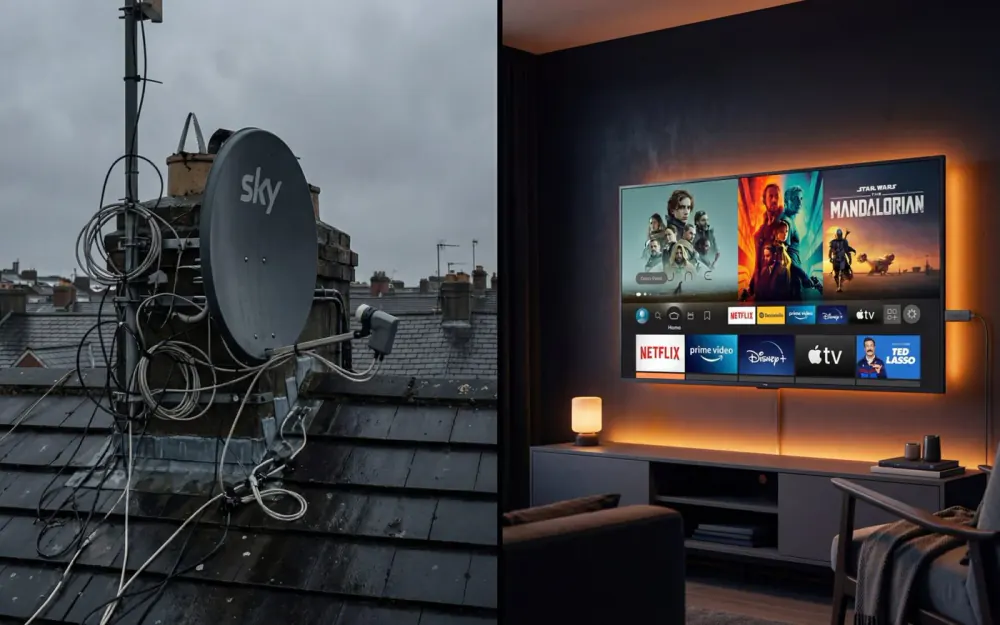
- Plan what you will watch instead. Most smart TVs, Sky Glass included, can run BBC iPlayer, ITVX and other apps once the Sky subscription ends. A streaming stick is another option if your TV is older.
- Watch anything recorded on your Sky Q box that you care about, as recordings are kept on the box itself.
- Note your final bill date so a refund or last payment doesn't catch you out.
- Keep every confirmation email from Sky, including your cancellation date and any charges.
- Book the return as soon as the returns pack arrives, and keep the receipt.
If you are weighing up other options
If the plan is to replace Sky rather than go without, it is worth comparing like with like first. Our round-up of Sky TV alternatives in the UK sets out the main options side by side, from free-to-air to monthly streaming services.
BingeBear is one of those options: an IPTV service with one-off pricing rather than a monthly bill, shown on our UK pricing page. If you want to see how it runs on your own telly before your Sky notice runs out, the free 24-hour trial needs no card and no contract, and a real person talks you through the setup on WhatsApp.
Whatever you decide, the order is the same: check your end date, give 31 days' notice in writing, get every figure confirmed, and send the kit back.
Frequently asked questions
How much notice do I need to give to cancel Sky TV?
Sky asks for 31 days’ notice to cancel Sky TV, and that notice cannot end before your minimum term finishes. If it would, Sky may charge early termination charges, paid upfront. The exception is the cooling-off period: UK customers get 31 days from delivery, installation or receiving the terms (whichever is later) to cancel a new order.
Can I cancel Sky TV online?
There is no one-click cancel button. Sky’s cancel page offers several routes: web chat (listed as Monday to Sunday, 9am to 7.30pm), a phone call, an online form, or writing or emailing mysky@sky.uk with your name, address, postcode and phone number. Sky says your notice starts from the date it receives a letter or email, though it may call you to confirm you are the account holder.
How are Sky early termination charges worked out?
Sky takes the monthly price of each product, knocks off the costs it saves by no longer serving you and a small discount for being paid in one lump sum, then takes off any monthly discount you get. That rate is multiplied by the days and months left on your minimum term. In practice it comes close to what you would have paid anyway, so check your end date first.
Can I cancel Sky TV but keep Sky Broadband?
Yes. TV and broadband are separate contracts with separate notice periods: 31 days for TV and 14 days for broadband. Cancelling TV leaves your broadband running at its current price. Check whether your broadband price was a bundle discount tied to having TV, and ask Sky what your broadband will cost on its own before you confirm.
Do I have to send my Sky Q box back?
Yes. Sky Q boxes are loaned, and Sky asks for them back within 60 days of your service ending, using the returns method it sends you. If they are not returned, Sky lists non-return charges of up to £117 for a Sky Q 1TB box, £135 for a 2TB box and £52 for a Mini box. Keep your proof of postage.
What happens to Sky Glass if I cancel my Sky subscription?
Sky Glass is a television you bought, so it stays yours. Sky says it then works like a normal TV: once activated you can use apps such as BBC iPlayer, ITVX and Netflix, and plug devices into the HDMI ports. You lose the Sky channels, Playlist and voice control. Any credit agreement for the TV carries on unless you pay it off.