


Smart TV setup for Samsung, LG and Sony
You’ve got a brilliant smart TV sitting in your living room, and you’re wondering if you can get IPTV running directly on it without buying a Firestick or any other streaming...
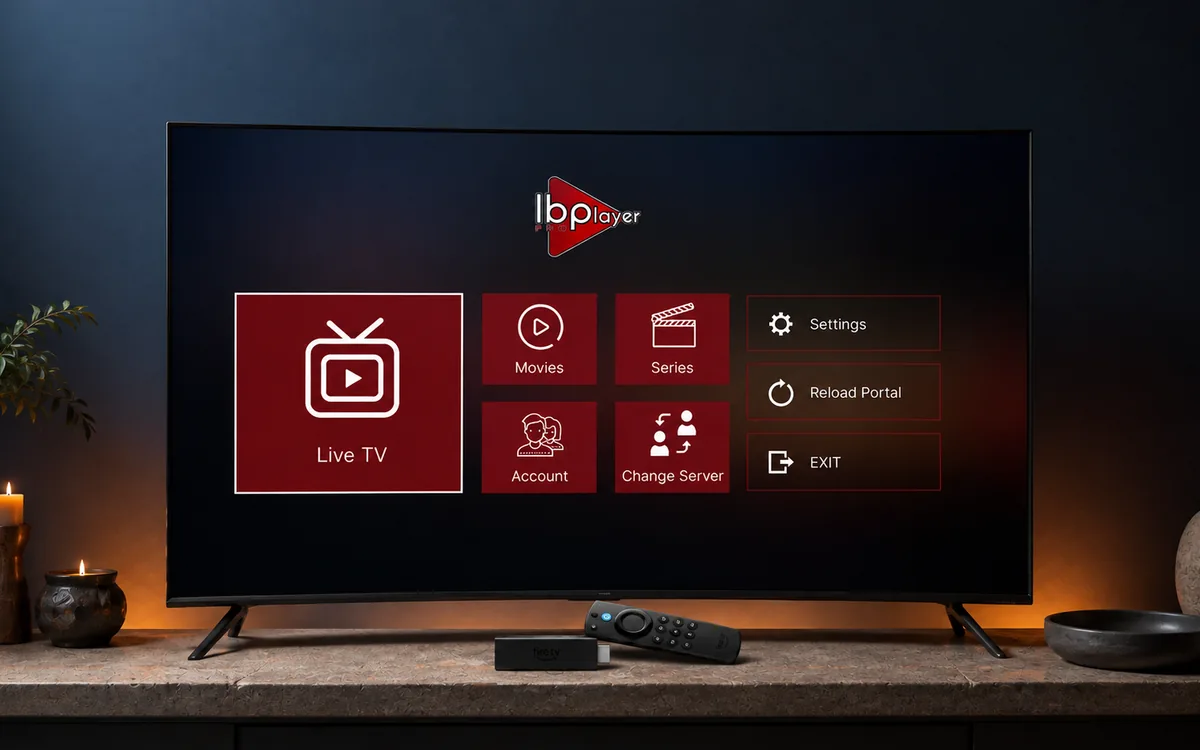
Check BingeBear on your own telly before paying.
Start a free 24-hour trial with no card. Check your channels, supported player and device, then read the current plans and activation terms.
2026smart TV IPTV setup Ireland
You’ve got a brilliant smart TV sitting in your living room, and you’re wondering if you can get IPTV running directly on it without buying a Firestick or any other streaming device. The answer is absolutely yes, and it’s easier than you might think to set up smart TV IPTV in Ireland.
Before we get started, let’s talk numbers. Sky Ireland charges EUR 105-139 per month (that’s EUR 1260-1668 yearly), while Virgin Media runs EUR 60-100 monthly (EUR 720-1200 yearly). BingeBear offers four one-off subscriptions: 6 months for €70, 10 months for €100, 24 months for €180, and Lifetime for €300 with six years of guaranteed service. The 6- and 10-month plans add €15 per player for initial activation, and buying two subscriptions gets a third account free on every plan. Neither plan renews automatically.
Compatible Smart TVs for IPTV in Ireland
Most modern smart TVs sold in Ireland can run IPTV apps directly, but some work better than others. The key is understanding which operating system your telly runs and what apps are available for it.
Samsung smart TVs (2018 onwards) with Tizen OS work brilliantly for IPTV. They’ve got enough processing power and memory to handle HD and 4K streams without buffering. LG smart TVs running webOS (2017 models and newer) are equally capable.
Android TV is probably the best platform for IPTV in Ireland because it gives you access to the full Google Play Store. This includes Sony Bravia TVs, some Philips models, and dedicated Android TV boxes built into certain brands.
Kevin Quirke from Dublin says: ‘No buffering whatsoever. The choice of channels, movies, and series is unreal.’
Here’s what you need to check before setting up IPTV on your smart TV: at least 2GB of RAM (4GB is better), Android 7.0 or newer for Android TVs, and a stable internet connection of 10 Mbps for HD or 25 Mbps for 4K content.
Samsung Smart TV IPTV Setup Guide
Setting up IPTV on Samsung smart TV Ireland is straightforward once you know the steps. Samsung’s Tizen operating system doesn’t have as many IPTV apps as Android TV, but there are still excellent options available.
First, press the Home button on your Samsung remote and navigate to the Samsung App Store. Search for ‘Smart IPTV’ or ‘SS IPTV’ – these are the most reliable IPTV apps for Samsung TVs in Ireland. Download and install your chosen app.
Once installed, you’ll need to configure the player app with your BingeBear login details. Open the app and look for settings or configuration options. You’ll typically need to enter an M3U playlist URL or upload a playlist file that BingeBear provides with your subscription.
The setup process takes about 5 minutes from start to finish. Your Samsung smart TV will remember these settings, so you only need to do this once. After that, you’ll have access to all 54,000+ live channels directly through your telly’s interface.
try the full BingeBear library free
free 24-hour trial . no card needed . no automatic renewal
See Trustpilot for the current rating and latest independent reviews.
LG Smart TV IPTV Installation
LG smart TV IPTV setup follows a similar pattern to Samsung, but with some key differences due to the webOS platform. LG’s app store has decent IPTV options, though not as extensive as what you’ll find on Android TV.
Navigate to the LG Content Store using your remote’s home button. Search for IPTV apps like ‘Smart IPTV’ or ‘IPTV Smarters Pro’. These apps work well with Irish IPTV services and handle both live channels and on-demand content.
Download your chosen app and launch it. You’ll need to configure it with your BingeBear access plan details – this usually involves entering server information, username, and password that comes with your account. The app will then load your channel list and EPG (Electronic Program Guide).
One advantage of LG smart TVs is their excellent picture processing. You’ll get brilliant image quality whether you’re watching Irish channels, Premier League football, or the latest Netflix-style series through your IPTV service.
Android TV IPTV Setup Process
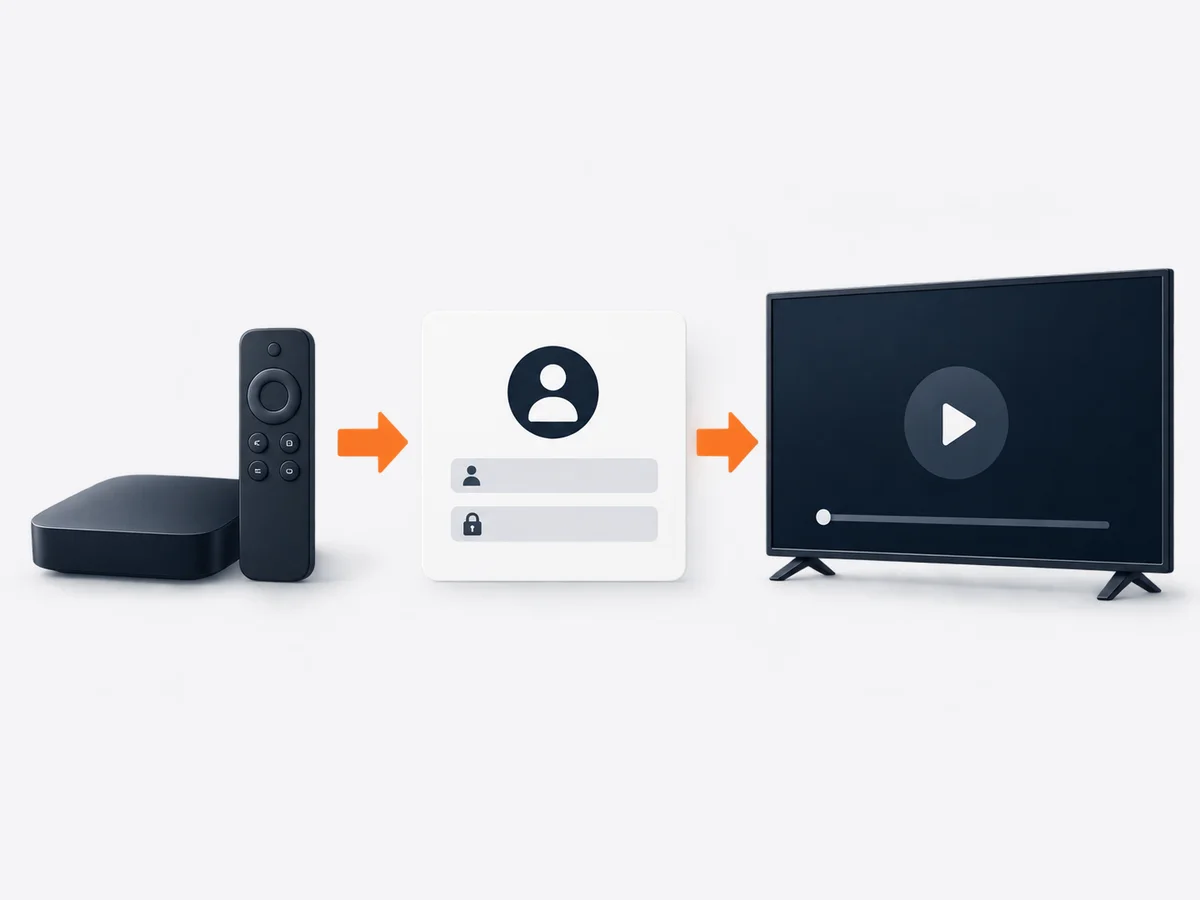
Android TV IPTV installation gives you the most flexibility and app choices. Whether you’ve got a Sony Bravia, Philips Android TV, or another Android TV device, the setup process is nearly identical and offers the best experience for IPTV in Ireland.
Open the Google Play Store on your Android TV and search for IPTV apps. Popular choices include ‘IPTV Smarters Pro’, ‘TiviMate’, and ‘Perfect Player’. These apps are specifically designed for IPTV and offer features like EPG, catch-up TV, and recording capabilities.
Download and install your preferred app. When you first launch it, you’ll be prompted to add your IPTV service details. With BingeBear, you will receive login credentials and server information to enter into the recommended third-party player app. The setup wizard will guide you through each step.
Android TV’s advantage is its powerful hardware and regular updates. You’ll get smooth 4K streaming, voice search capabilities, and the ability to install multiple IPTV apps if you want to test different interfaces.
Smart TV vs Firestick for IPTV
Many Irish viewers wonder whether they should use their smart TV directly or buy a Firestick for IPTV. The answer depends on your specific telly and what you want from your viewing experience.
Smart TVs have several advantages: no additional device needed, cleaner setup with fewer cables, and often better integration with your telly’s remote control. You’re also maximizing the investment you’ve already made in your smart TV.
However, Firesticks do have some benefits. They typically get more frequent app updates, have more IPTV app options, and can be easily moved between different tellies. If your smart TV is older or running slowly, a Firestick might provide better performance.
| Feature | Smart TV Direct |
|---|---|
| Firestick | Setup Complexity |
| Simple – built-in | Extra device needed |
| App Selection | Limited by TV OS |
| Full Amazon store | Performance |
| Depends on TV specs | Consistent experience |
| Cost | No extra cost |
| EUR 40-60 device | Updates |
| TV manufacturer dependent | Regular Amazon updates |
| Portability | Fixed to one TV |
Move between TVs
For most Irish households with modern smart TVs (2018 or newer), setting up IPTV directly on the telly is the best choice. You’ll save money, reduce clutter, and still get excellent performance with BingeBear’s optimized streams.
Troubleshooting Common Issues
Even with the best smart TV IPTV setup, you might encounter occasional issues. Here are the most common problems Irish viewers face and how to sort them out quickly.
Buffering is usually caused by internet speed issues rather than your smart TV. Make sure you’ve got at least 10 Mbps for HD content or 25 Mbps for 4K. You can test your speed using your TV’s built-in browser or a speed test app.
If channels aren’t loading, check your IPTV app settings. Sometimes the server information needs updating, or your subscription might need refreshing. BingeBear’s WhatsApp support team responds within 2 hours and can help troubleshoot any connection issues.
David McCarthy notes: ‘Support is quicker than Lewis Hamilton from the grid.’
Audio sync issues can occur on some smart TVs. Try adjusting the audio delay settings in your IPTV app or your TV’s sound settings. Most apps have an audio sync adjustment feature specifically for this problem.
Optimizing IPTV Performance on Smart TVs
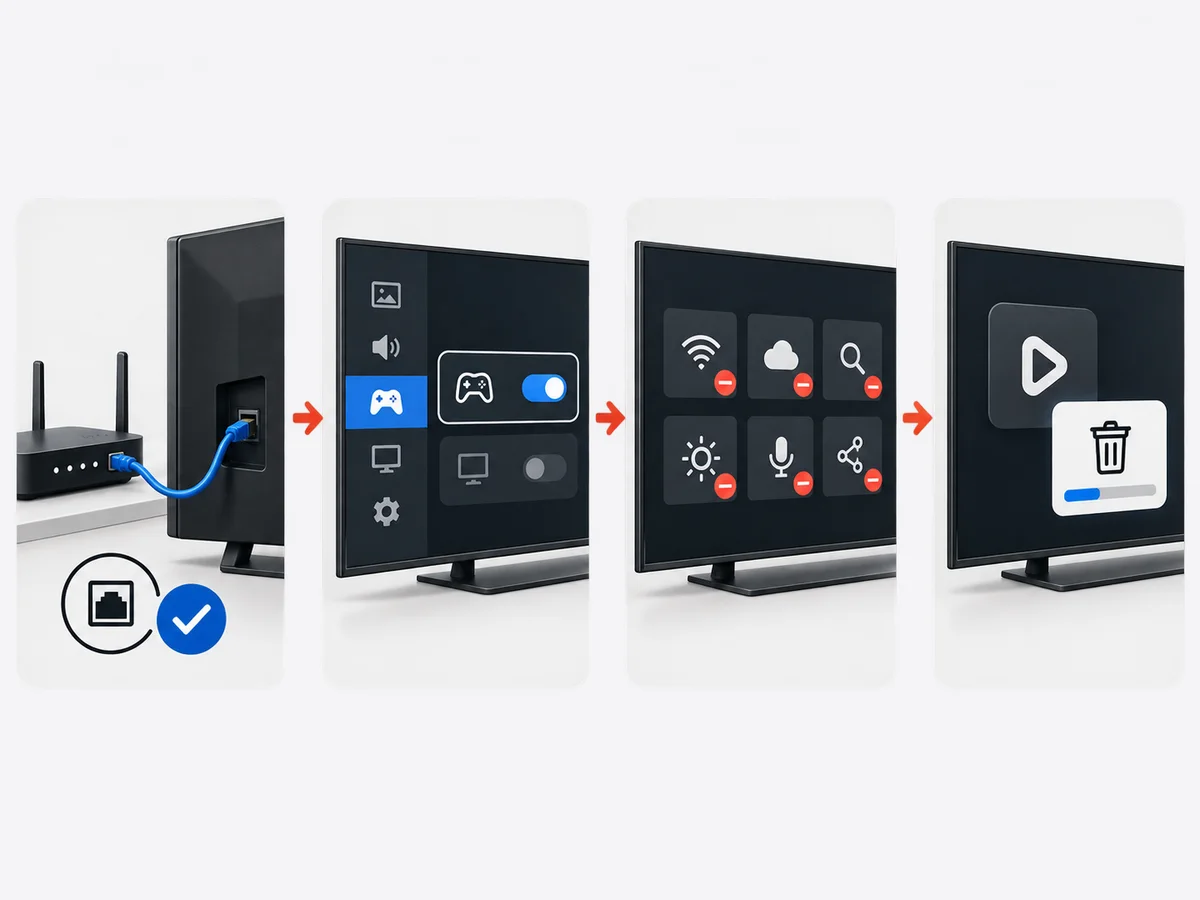
Getting the best performance from your smart TV IPTV setup Ireland requires a few tweaks to your telly’s settings and network configuration. These optimizations can make the difference between choppy streams and crystal-clear viewing.
First, ensure your smart TV is connected via Ethernet cable rather than Wi-Fi when possible. Wired connections provide more stable speeds and lower latency, which is crucial for live sports and news channels.
In your TV’s network settings, look for options like ‘Game Mode’ or ‘PC Mode’ – these reduce input lag and can improve streaming performance. Also, disable any unnecessary smart TV features running in the background, as they consume processing power and memory.
Clear your IPTV app’s cache regularly (usually found in the app settings). This prevents the app from slowing down over time and ensures smooth channel switching. Most Irish viewers find they need to do this about once a month.
Using IPTV on Older Smart TVs
If you’ve got an older smart TV (2015-2017), you can still enjoy IPTV, though you might need to adjust your expectations slightly. Older tellies have less processing power and memory, which can affect streaming performance.
The key is choosing the right IPTV app for your older smart TV. Simpler apps with fewer features often work better than feature-rich alternatives. Look for apps specifically designed for older hardware or those with ‘lite’ versions.
You might need to stick to HD content rather than 4K on older smart TVs. The good news is that BingeBear’s streams are optimized for various connection speeds and device capabilities, so you’ll still get excellent picture quality.
Chris Coyne shares: ‘Stayed with BingeBear for years — 4K, freeze-free.’
Consider upgrading your internet package if you’re using an older smart TV for IPTV. These devices often have older Wi-Fi chips that don’t handle modern high-speed connections as efficiently as newer models.
Related Reading
- Ultimate IPTV Projector Ireland Home Cinema Guide 2026: 4K Setup
- BingeBear one account one device Ireland: Family Sharing and Multi-Room 2025
Savings vary by provider and comparison period. Check the current one-off plans for a like-for-like figure. Savings vary by provider and comparison period. Check the current one-off plans for a like-for-like figure.
- Ultimate Chromecast IPTV Ireland Setup 2026 (5 Steps)
- Ultimate Nvidia Shield IPTV Ireland Guide 2026 (Proven Setup)
frequently asked questions
Can you install IPTV directly on Samsung smart TV Ireland?
Yes, Samsung smart TVs (2018 and newer) can run IPTV apps directly through the Samsung App Store. Popular options include Smart IPTV and SS IPTV. The setup takes about 5 minutes and works with all major IPTV services including BingeBear’s 54,000+ live channels.
Which smart TVs work best with IPTV in Ireland?
Android TV devices (Sony Bravia, some Philips models) work best due to full Google Play Store access. Samsung Tizen TVs (2018+) and LG webOS TVs (2017+) also work excellently. You need at least 2GB RAM and 10 Mbps internet for HD streaming.
How to set up IPTV on LG smart TV Ireland?
Go to LG Content Store, download an IPTV app like Smart IPTV or IPTV Smarters Pro, then configure it with your service provider’s details. With BingeBear, you will receive login credentials and server information to enter into the recommended third-party player app during setup.
Do I need a firestick if I have a smart TV for IPTV?
No, modern smart TVs (2018+) can run IPTV apps directly without needing a Firestick. This saves you EUR 40-60 on the device cost and reduces cable clutter. Smart TVs often provide better integration with your existing remote control too.
What’s the best IPTV app for Android TV Ireland?
TiviMate and IPTV Smarters Pro are the top choices for Android TV in Ireland. Both offer EPG support, catch-up TV, and recording features. They work perfectly with Irish IPTV services and handle both live channels and on-demand content smoothly.
Can older smart TVs run IPTV apps in Ireland?
Yes, but performance depends on the TV’s specs. TVs from 2015-2017 can run IPTV apps but may struggle with 4K content. Stick to HD streams and choose simpler IPTV apps designed for older hardware. Ensure you have at least 10 Mbps internet speed.
How to download IPTV apps on smart TV Ireland?
Use your TV’s built-in app store: Samsung App Store for Samsung TVs, LG Content Store for LG TVs, or Google Play Store for Android TVs. Search for IPTV apps like Smart IPTV, IPTV Smarters Pro, or TiviMate, then download and install.
Is IPTV better on smart TV or firestick Ireland?
For modern smart TVs (2018+), using IPTV directly on the TV is often better – no extra device needed, cleaner setup, and better remote integration. Firesticks are better for older TVs or if you want more app choices and regular updates.
What internet speed do I need for smart TV IPTV in Ireland?
You need minimum 10 Mbps for HD streaming and 25 Mbps for 4K content. If Joe confirms a bundle or second account for more devices, consider 50+ Mbps. BingeBear’s streams are optimized for Irish internet speeds and work well even on slower connections.
How much does smart TV IPTV cost in Ireland compared to Sky?
BingeBear offers four one-off subscriptions: 6 months for €70, 10 months for €100, 24 months for €180, and Lifetime for €300 with six years of guaranteed service. The 6- and 10-month plans add €15 per player for initial activation, and buying two subscriptions gets a third account free on every plan. Neither plan renews automatically. Savings vary by provider and comparison period. Check the current one-off plans for a like-for-like figure.
try the full BingeBear library free
free 24-hour trial . no card needed . no automatic renewal
See Trustpilot for the current rating and latest independent reviews.
BB
See Trustpilot for the current rating and latest independent reviews.


